What Is Dynamo for Revit? Practical Uses and Automation Examples
Oct 13, 2026
Category: Software & Tools
SEO TSA
Working on a Revit project often involves more than creating a 3D model. BIM professionals also need to update parameters, manage project data, place elements and check models for errors. When these tasks have to be repeated across hundreds of elements, they can take up a significant amount of time.
This is where Dynamo for Revit comes in.
Dynamo helps architects, engineers and BIM professionals automate repetitive tasks and simplify complex workflows without writing traditional programming code for every operation. It can be used for everything from updating element parameters to generating complex geometry and working with Excel data.
In this guide, we will explain what Dynamo for Revit is, how it works, its practical applications and how you can get started with it.
What Is Dynamo for Revit?
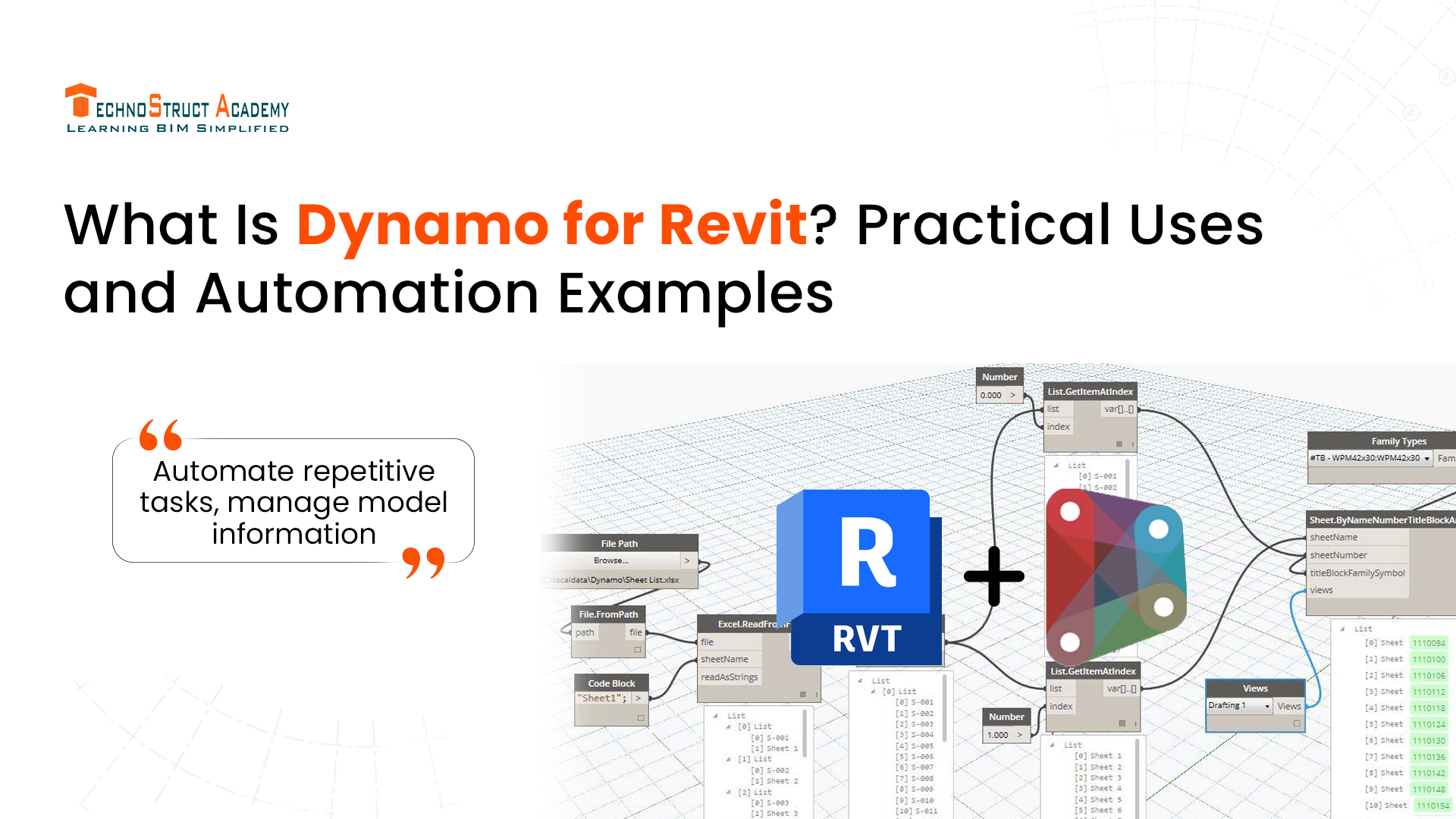
Dynamo for Revit is a visual programming tool that helps users automate tasks and extend the capabilities of Autodesk Revit. Instead of writing lines of code, users connect visual blocks called nodes to create a workflow.
Each node performs a specific function. Some nodes collect information from a Revit model, while others perform calculations, process data or modify model elements. Connecting these nodes allows users to create workflows that perform tasks automatically.
For example, imagine working on a commercial building project with hundreds of doors. If you need to update a parameter for every door, changing each one manually can be tedious. With Dynamo, you can create a workflow that updates the required information across selected doors based on predefined rules.
This makes Dynamo useful for projects where repetitive work and large amounts of model data need to be managed efficiently.
How Does Dynamo for Revit Work?
Dynamo uses a visual programming approach, which makes it easier for beginners to understand automation without starting with a traditional programming language.
A typical Dynamo workflow follows a few basic steps:
- Select elements: Choose the Revit elements you want to work with, such as doors, walls, rooms or structural columns.
- Collect information: Extract properties, dimensions or parameter values from those elements.
- Apply logic: Use calculations, conditions and data operations to determine what needs to happen.
- Run the workflow: Update selected parameters, generate geometry or perform another supported operation.
- Check the results: Review the changes in Revit to ensure that the output is correct.
Once created and tested, a Dynamo graph can often be reused for similar tasks. This is particularly helpful for BIM teams working on projects with standardised modelling and documentation requirements.
6 Practical Uses of Dynamo for Revit
Dynamo can support several stages of a BIM workflow. Its usefulness depends on the project requirements and the way the graph is designed.
1. Automating Repetitive Modeling Tasks
Repetitive modeling is one of the most common reasons BIM professionals use Dynamo.
Consider a project where structural columns need to be placed at predefined coordinates or similar components must follow a particular spacing pattern. Performing these operations individually can be time-consuming.
Dynamo can use coordinates, input data and predefined rules to automate supported placement and modeling tasks.
Architects may also use it to generate repeated design elements, while structural and MEP teams can explore automation for specific modeling requirements.
The main advantage is consistency. Once the workflow is tested, the same rules can be applied repeatedly without performing every step manually.
2. Updating Revit Parameters in Bulk
Revit elements contain parameters that store important information about a building model. These may include element marks, material details, equipment identifiers and other project-specific properties.
When a project contains hundreds of elements, updating these values one by one can become difficult.
Dynamo can help BIM professionals update parameters across selected elements, standardise naming conventions and identify missing information.
For example, a BIM coordinator may need to check whether all doors have been assigned a fire-rating value. A Dynamo graph can identify doors with missing values and generate a list for further review.
This approach can make model information easier to manage, especially on large projects.
3. Connecting Excel with Revit
Excel is widely used in construction projects for managing room schedules, equipment details, asset information and other project data.
Dynamo can help transfer information between Excel spreadsheets and Revit models, reducing the need for repeated manual data entry.
For example, a project team may maintain equipment IDs in Excel and need to assign those IDs to corresponding elements in Revit. A Dynamo workflow can read the spreadsheet, match records using reliable identifiers and update the relevant parameters.
This is useful when handling large datasets, but the data should always be checked before changes are applied. Incorrect matches or duplicate identifiers can create problems in the model.
4. Creating Parametric Geometry
Dynamo is also useful for computational and parametric design.
Instead of creating every design element individually, users can define rules that control the geometry. Changing an input can then update the resulting design.
For example, an architect designing a patterned facade could use Dynamo to generate panels based on spacing, dimensions and geometric relationships. If the design requirements change, the inputs can be adjusted to regenerate the pattern.
This makes Dynamo helpful for exploring design alternatives and working with complex forms that would otherwise require considerable manual effort.
5. Checking BIM Model Quality
A well-organised BIM model needs accurate and consistent information. Missing parameters, inconsistent naming and incomplete room data can create problems during coordination and project handover.
Dynamo can help automate selected model checks by comparing Revit elements against predefined requirements.
Some common applications include:
- Finding elements with missing parameter values.
- Checking naming conventions.
- Identifying incomplete room information.
- Preparing reports from model data.
- Flagging values that fall outside specified limits.
These checks help teams identify issues earlier in the workflow. However, Dynamo does not automatically replace clash detection, design reviews or formal BIM quality assurance.
6. Simplifying Documentation and Reporting
Preparing project documentation often involves collecting information from different parts of a Revit model.
Dynamo can help organise model data, update selected properties and prepare structured information for reports or schedules.
For example, a BIM team can develop a workflow to collect element IDs, categories and parameter values into a spreadsheet for review. The resulting data can then be used to identify missing information or support project documentation.
The level of automation depends on the Revit version, the available nodes and the requirements of the project.
What Is the Difference Between Revit and Dynamo?
Revit and Dynamo work together, but they serve different purposes.
Revit is a BIM software application used to create building models, prepare drawings, generate schedules and manage project information.
Dynamo is a visual programming tool that helps users automate selected operations and create rule-based workflows within Revit and compatible environments.
For example, you can use Revit to model a building and then use Dynamo to update element parameters, generate repeated geometry or extract information for a report.
In simple terms, Revit helps you create and manage the model, while Dynamo helps you automate tasks and work with model data more efficiently.
How to Learn Dynamo for Revit as a Beginner
If you are new to Dynamo, you do not need to start with complicated automation projects. Learning the basics of Revit first will make it easier to understand how Dynamo interacts with model elements.
Here is a practical way to get started.
Step 1: Understand Revit Fundamentals
Learn about families, categories, parameters, schedules and model elements. These concepts are important because many Dynamo workflows use information stored in the Revit model.
Step 2: Explore the Dynamo Interface
Familiarise yourself with nodes, connectors, inputs and outputs. Start with simple workflows that perform one task at a time.
Step 3: Learn Basic Data Operations
Practise working with lists, numbers, text and conditional logic. These concepts are useful when creating workflows that process information from multiple elements.
Step 4: Build a Small Automation Project
Start with a straightforward task, such as extracting door names, checking missing parameters or updating a parameter in a sample model.
Step 5: Practise with Excel Data
Once you understand the basics, try importing spreadsheet data and matching it to Revit elements. Use reliable identifiers and verify the results before making bulk changes.
Step 6: Test and Improve Your Workflow
Run your graph on a small test model before using it on a live project. Check the output, handle missing data and document how the workflow works so it can be reused later.
As you gain experience, you can explore more advanced workflows for computational design, model validation and BIM data management.
Is Dynamo for Revit Worth Learning?
Dynamo can be a valuable skill for professionals who regularly work with Revit and want to reduce repetitive work.
Architects can use it to explore parametric design, structural engineers can automate selected modeling and data tasks, and BIM coordinators can develop workflows for checking and organising model information.
However, learning Dynamo is most useful when it builds on a solid understanding of Revit and BIM processes. Automation works best when you understand the task, define the right rules and verify the results.
For students and professionals planning to build a career in BIM, learning Revit alongside Dynamo can help develop a stronger understanding of digital design and construction workflows.
Frequently Asked Questions
1. What is Dynamo for Revit used for?
Dynamo for Revit is used to automate repetitive tasks, update parameters, process model data, generate parametric geometry and perform selected model checks. It helps users create reusable workflows for common BIM requirements.
2. Is Dynamo for Revit free?
Dynamo is an open-source visual programming platform. Dynamo for Revit is commonly available through compatible Revit installations, although installation and availability depend on the software version and environment.
3. Do I need coding knowledge to learn Dynamo?
No. Beginners can create workflows by connecting visual nodes without writing traditional code. Basic programming concepts can become useful as workflows become more complex.
4. Can Dynamo automate repetitive Revit tasks?
Yes. Dynamo can automate many supported operations, including bulk parameter updates, data extraction, rule-based element placement and selected quality checks. The exact capabilities depend on the workflow and project setup.
5. What is the difference between Dynamo and Grasshopper?
Dynamo is commonly used for visual programming in Revit and BIM workflows, while Grasshopper is closely associated with Rhino and computational design. Both support rule-based workflows, but their software integrations and typical applications differ.
6. Can Dynamo connect Revit with Excel?
Yes. Dynamo can read and write spreadsheet data through supported nodes and workflows. Data should be matched carefully to the correct model elements to avoid incorrect updates.
Conclusion
Dynamo for Revit gives BIM professionals a practical way to automate repetitive tasks, manage model information and explore parametric design. From updating parameters and connecting Excel data to generating geometry and checking model quality, it can support a wide range of everyday BIM workflows.
The best way to learn Dynamo is to start with a simple problem, build a small workflow and test it on a sample Revit model. As your skills develop, you can apply automation to more complex project requirements.
For architects, civil engineers and BIM professionals, combining Revit knowledge with Dynamo can be a useful step towards more efficient and consistent project delivery.

Blog Categories